
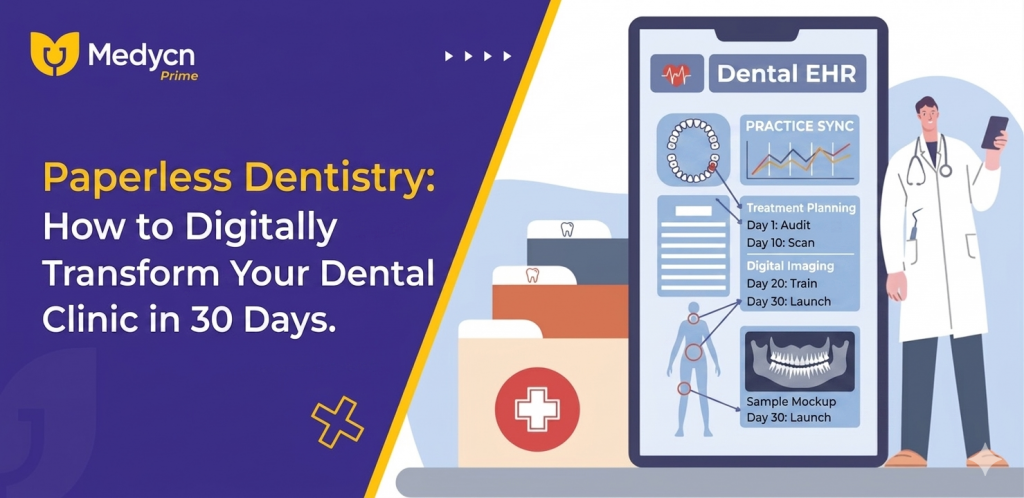
The modern dental practice is no longer just about clinical excellence; it is about operational fluidity. For decades, the “paper-heavy” model was the standard. Manually updated charts, physical x-ray films tucked into folders, and overflowing filing cabinets were signs of a busy office. Today, however, those same papers are signs of inefficiency, security risks, and lost revenue.
Transitioning to a paperless environment can feel like a daunting mountain to climb, especially for clinics with decades of physical records. But with a structured 30-day roadmap and the right technology—like Medycn Prime—digital transformation isn’t just possible; it’s the most significant ROI-driven decision you will make this year.
The Hidden Costs of Paper: Why Your Clinic is Leaking Revenue
Before we dive into the “how,” we must understand the “why.” Paper is expensive. Not just in the cost of reams and toner, but in the square footage of your clinic.
- The Physical Burden: Every filing cabinet takes up roughly 9 square feet of office space. In a high-rent district, you are essentially paying hundreds of rupees a month just to “house” paper.
- The Productivity Gap: On average, dental staff spend 10–15 minutes per patient just searching for, filing, or updating physical records. Multiply that by 15 patients a day, and you lose over two hours of productive time daily.
- The Human Error Factor: Illegible handwriting leads to medical errors. Misplaced folders lead to frustrated patients. Physical paper has no “Search bar “.
Phase 1: Preparation and Infrastructure (Days 1–7)
Digital transformation doesn’t start with deleting files; it starts with a solid foundation.
Auditing the Current Paper Trail
The first week is about observation. Identify where paper enters your clinic. Is it at the front desk via intake forms? Is it in the operatory via treatment plans? Is it in the back office via lab invoices? Mapping this “Paper Flow” allows you to target the biggest bottlenecks first.
Choosing Your Digital Foundation
The most critical step in Week 1 is selecting your Clinic Management Software (CMS). To rank high in search engines and provide a seamless experience, you need a cloud-based solution. Medycn Prime provides the mobility required for a modern practice, allowing doctors to access records from a tablet in the operatory or a laptop at home.
Setting Up the Hardware
- High-Speed Scanners: For the legacy files you must keep.
- Tablets/Pads: For patient intake at the front desk.
- Dual Monitors: One for the clinical chart/x-ray and one for the administrative task.
Phase 2: Centralizing Clinical Workflows (Days 8–15)
In the second week, the focus shifts from the office to the dentist . This is where clinical efficiency starts.
The End of Hand-Drawn Charts: Digital Odontograms
One of the primary features of Medycn Prime is the interactive Odontogram. Instead of scratching notes on a 2D drawing, dentists can click specific teeth to record decay, restorations, or implants.
Integrating Digital Imaging
A truly paperless clinic is also a “filmless” clinic. By integrating your digital X-rays (RVG) and intraoral cameras directly into your management software, you eliminate the need for physical envelopes. When a patient asks about a cavity, you don’t show them a tiny film; you show them a high-definition image on a 24-inch monitor.
Standardizing Clinical Notes
Standardization is the enemy of medical error. Using “Smart Templates,” your team can generate comprehensive clinical notes in seconds. Instead of writing “Patient had a cleaning,” the software populates a detailed, HIPAA-compliant note including the tools used, the patient’s gum health, and the recommended follow-up.
Phase 3: Automating the Front Office (Days 16–22)
The “Front Office” is the face of your brand. If it looks cluttered, patients assume the clinical work is outdated too.
Digital Onboarding and Consent
In Week 3, eliminate the clipboard. When a patient walks in, hand them a tablet. Their data flows directly into the Medycn Prime database. This ensures that their phone number, insurance details, and medical history are 100% accurate—no manual data entry required by your staff.
Revolutionizing the Calendar
Manual appointment books are a recipe for double-booking. A digital calendar allows for “Color Coding”—different colors for root canals, cleanings, and consultations. This allows the staff to see the clinic’s “Production Value” at a single glance.
Eliminating No-Shows: Automated Communication
The biggest drain on a dental clinic’s revenue is an empty chair.
- Automated SMS Reminders: These send 24 hours before the appointment.
- Email Confirmations: These provide one-click “Add to Calendar” options for the patient.
- Automation handles the “chasing,” leaving your staff free to focus on the patients currently in the office.
Phase 4: Financial and Inventory Digitization (Days 23–30)
The final week is about securing the “Business” side of the practice.
Error-Free Billing and Invoicing
Digital billing eliminates the “Where is my receipt?” phone call. Medycn Prime generates professional, itemized invoices that can be emailed or WhatsApped to the patient instantly. This transparency builds trust and speeds up the payment cycle.
Smart Inventory Management
Dentistry uses hundreds of small, expensive consumables. The paperless model allows you to track stock levels digitally. When your supply of composite resin or local anesthetic hits a “Low” threshold, the software alerts you. This prevents the “Emergency Order” fees that eat into your margins.
Performance Analytics
How many new patients did you see this month? What was your total collection? In a paper-based clinic, answering these questions requires hours of manual tallying. In a digital clinic, it’s a one-click report.
Security, Compliance, and Future-Proofing
One of the biggest myths is that paper is “safer.” Physical files can be stolen, burned in a fire, or ruined in a flood.
HIPAA and Data Encryption
Cloud-based systems like Medycn Prime use bank-grade encryption. If your clinic’s laptop is stolen, your data is still safe in the cloud. If your clinic floods, your records are untouched.
Remote Access: The New Standard
The ability to check tomorrow’s schedule from your phone or review a patient’s history during an emergency weekend call is a game-changer for the modern dentist. It provides a level of freedom that physical folders simply cannot offer.
Conclusion
The transition to a paperless dental clinic isn’t just about “going green.” It’s about Dental Practice Management for the 21st century. By the end of Day 30, your staff will be less stressed, your patients will be more impressed, and your bottom line will be healthier.
Digitization is the bridge between a “neighborhood dentist” and a “modern healthcare brand.” Are you ready to start your 30-day journey?
Stop managing paper. Start managing patients.
Explore how Medycn Prime can automate your transition today at prime.medycn.com.